SF Tech Week was a week of the future.
AI agents that buy things on your behalf. A gold Tesla Cybercab rolling through traffic. Founders pitching what comes next.
Then, around midnight, I was sitting in a restaurant that had just opened in San Francisco, looking at the most old-fashioned problem in the business: a card processing bill nobody had checked.
The owner believed they were paying about 2.2% on card sales. Their statement said 3.6%.
That gap is why restaurant credit card processing fees deserve a closer look than most owners give them. Here’s how to find what you actually pay, what the rules allow you to do about it, and a 15-minute check you can run tonight.
Card processing fees at a glance – Three layers: every card fee bundles interchange (paid to the card-issuing bank), network fees (paid to Visa, Mastercard and others), and your processor’s markup. (NerdWallet) – Typical range: overall processing fees typically run 1.5% to 3.5% of each transaction. (NerdWallet) – Surcharges: Visa caps a credit card surcharge at your cost of acceptance, and never more than 3%. Debit and prepaid cards can’t be surcharged. (Visa) – California: a card fee customers can avoid by paying another way, such as cash, doesn’t have to be built into the advertised price. (California Attorney General)

What’s actually inside your card processing fee
When a guest taps a card, the fee you pay is split three ways:
- Interchange goes to the bank that issued the guest’s card. Visa describes interchange as transfer fees between the merchant’s bank and the card-issuing bank, and publishes its rate tables. You don’t pay it directly; it’s built into the rate your provider charges you.
- Network fees (also called assessments) go to the card networks.
- Processor markup is what your provider keeps. This is the part that’s usually negotiable.
You can’t change the first two. You can change the third, and how it’s packaged.
Restaurant credit card processing fees: quoted rate vs. effective rate
The rate you were quoted and the rate you pay are often different numbers.
The one that matters is your effective rate:
Effective rate = total processing fees for the month ÷ total card sales for the month
Both numbers are on your monthly statement. The fee total should include everything: per-transaction fees, monthly fees, PCI fees, statement fees, and “other” line items.
Here’s what the gap from that night looks like on a restaurant doing $40,000 a month in card sales. This is an illustration, not that restaurant’s actual volume:
| Rate | Monthly cost | Yearly cost | |
|---|---|---|---|
| What the owner thought | 2.2% | $880 | $10,560 |
| What the owner paid | 3.6% | $1,440 | $17,280 |
| The gap | 1.4 points | $560 | $6,720 |
Flat-rate, tiered or interchange-plus: which one are you on?
How your fees are packaged decides how easy they are to check.
- Flat-rate: one percentage plus a small fixed fee on every transaction. Simple and predictable. For example, Square publishes in-person rates from 2.4% + 15¢ to 2.6% + 15¢ depending on plan, and 3.5% + 15¢ for keyed-in cards.
- Tiered: cards are sorted into “qualified,” “mid-qualified” and “non-qualified” buckets, each with its own rate. Ask which bucket most of your transactions actually land in, because the lowest rate is the easiest one to quote.
- Interchange-plus: the actual interchange cost plus a fixed markup from your processor. NerdWallet calls it often the cheapest option for higher-volume businesses, though the monthly total varies more.
Our take: The quoted number is rarely the problem. The problem is the mix: keyed-in orders, online orders and add-on fees all push the effective rate up. If nobody has done the division, nobody knows.
Surcharging and cash discounts: what the rules say
There are two very different ways to pass card costs to guests.
Surcharging adds a fee when a guest pays by credit card. Visa’s rules:
- The surcharge can’t exceed your cost of accepting the card, and can’t exceed 3%.
- Debit and prepaid cards can’t be surcharged, so a surcharge can’t recover what you pay on those transactions.
- You must disclose it at the entrance and at the point of sale, itemize it on the receipt, and tell your processor at least 30 days before you start.
- Some states prohibit or limit surcharging. Visa’s guidance names Connecticut, Maine, Massachusetts and Oklahoma.
Cash discounting works the other way: the card price is the standard price, and guests who pay another way get a lower price. Visa treats a discount for using another payment method differently from a surcharge, as long as the card price is shown in full and isn’t reached by adding a fee at the end.
In California, the Attorney General’s guidance on the state’s hidden-fees law says a card fee isn’t treated as mandatory if the customer can avoid it by paying another way. But if a business only accepts cards, the card fee is mandatory and must be in the advertised price.
Full disclosure: Innowi offers a cash-discount program for restaurants. Whichever route you look at, get the setup, signage and receipts right, and check your state’s rules. This isn’t legal advice.
The other three things I found that night
The processing rate was the biggest number, but it wasn’t the only problem. And none of these are unusual for a restaurant in its first months:
- Three separate tools, about $400 a month, and still missing pieces. Paying for several systems that each do part of the job is common. We broke down that trade-off in POS vs. all-in-one restaurant platforms.
- Almost no website, so online orders ran through DoorDash and Uber Eats. Every one of those orders carries a commission. Here’s what DoorDash actually charges restaurants, and why it matters whether you actually own your restaurant website.
- No way to talk to their own customers. No email list, no texts, no loyalty. Guests came, loved the food, and left without a way to be invited back. More on that in does your restaurant have its customers’ data?
For the record: the food was fantastic. That’s exactly why it stung to see the margin leaking.
What SF Tech Week got right, and what it missed
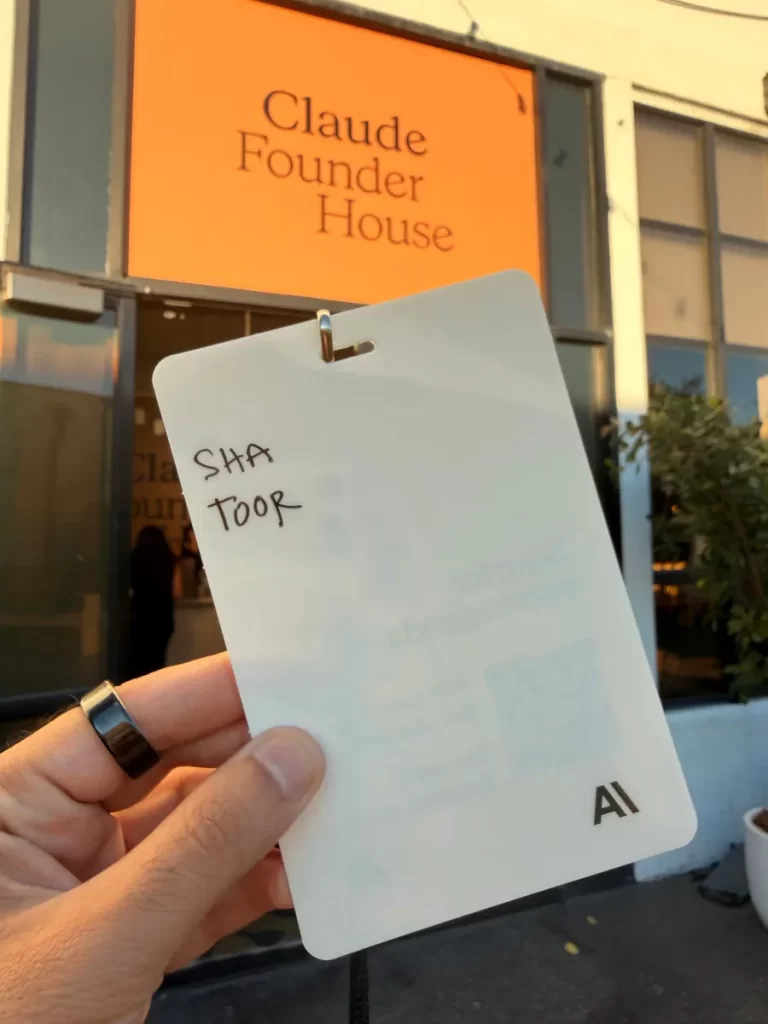
I went to a lot of events that week, including Anthropic’s Claude Founder House in SoMa. The energy was real: AI agents, agentic payments, robotaxis on the streets.
Some of that future is already reaching restaurants. Google’s Ask Maps now lets people order food through Gemini inside Google Maps, and DoorDash launched an AI agent you can text to place an order. If your Google Business Profile isn’t in shape, those agents will find someone else.

But here’s my honest takeaway: restaurant tech is still underserved. Searching the official SF and LA Tech Week calendars, I found just one event built specifically around restaurants. Meanwhile, independent owners are still losing money to the basics: the processing bill, the tool sprawl, the commissions.

Your 15-minute card processing statement check
Pull last month’s statement and do this tonight:
- Find total card sales and total fees (every fee on the statement, not just the headline rate).
- Divide fees by sales. That’s your effective rate.
- Compare it to what you were quoted. If they’re more than a few tenths of a point apart, ask why.
- Look for monthly add-ons. PCI compliance, statement, “regulatory” or minimum fees.
- Check how many orders are keyed in or online. Those usually cost more than tapped or dipped cards.
- If you surcharge, check that it isn’t applied to debit cards and that your signs and receipts show it.
- List every tech subscription and what each one costs. Then ask whether one system could do the job.
Want a second pair of eyes?
If you’d like help reading your statement, send it over. I’ll calculate your effective rate for free and tell you honestly what I see, even if the answer is that you’re in good shape.
Book a free card-fee review or reach out on LinkedIn. You can also see how Innowi’s restaurant payment processing works.
Shayan Toor, Chief Growth Officer, Innowi